Free
$0forever
Viewing, with no limits
Open, read, search and copy from any file of any size, for as long as you like. No account, no trial.
- View every format, at any size
- Search, folding, paths, CSV grid, PDFs
- Free forever, on any number of Macs

Chomp opens the files other apps choke on. A 1 GB log, a 50 MB single-line JSON export, a 200 MB XML feed: they appear in a blink, scroll like butter, and stay easy to read and edit.
Measured with Chomp's built-in benchmarks on an M4 Pro Mac, November 2026. Your numbers depend on your Mac and your files.
55 seconds with the real app: a 1 GB log, minified JSON, a 200 MB XML catalog, a 100 MB CSV and the rest.
No spinner, no "file too large" warning. The first screen is there the moment you open a file, and the rest is ready a heartbeat later. Scrolling stays smooth from the first line to the ten millionth.
key=value pairs in color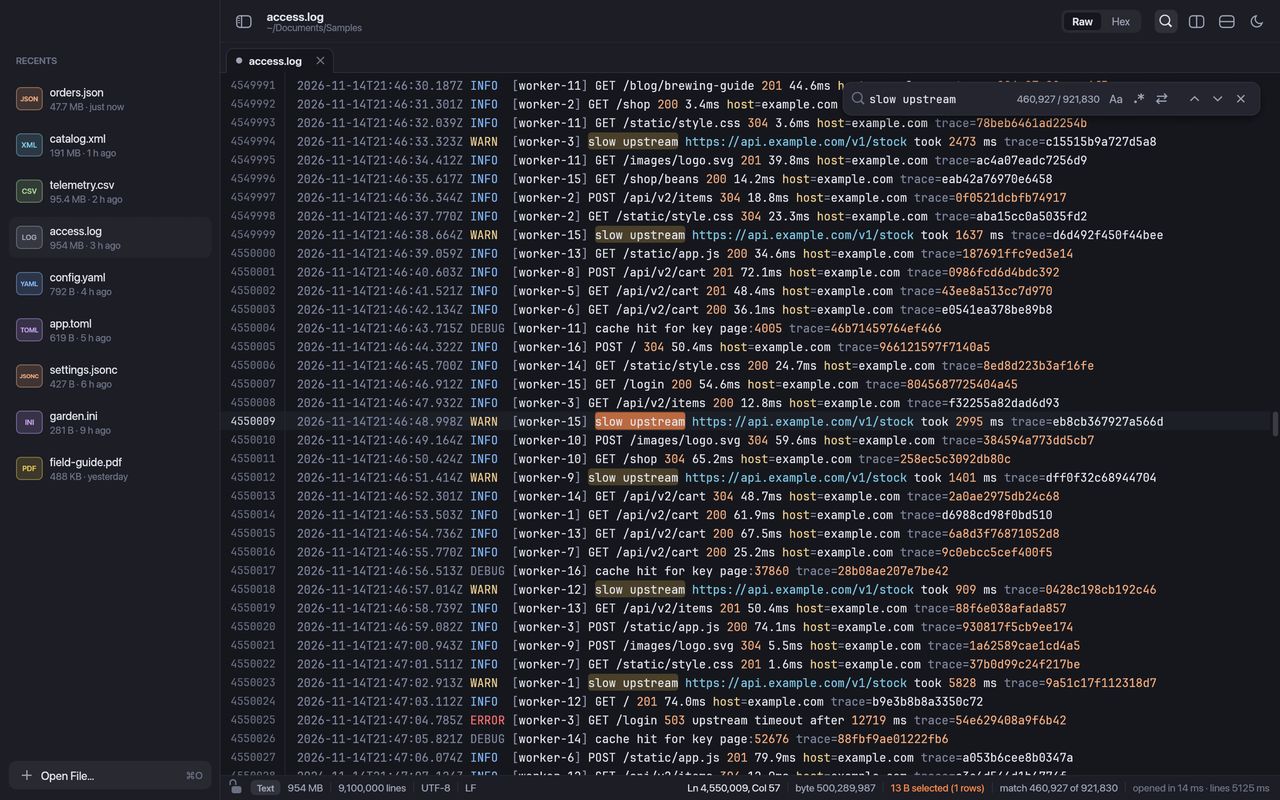
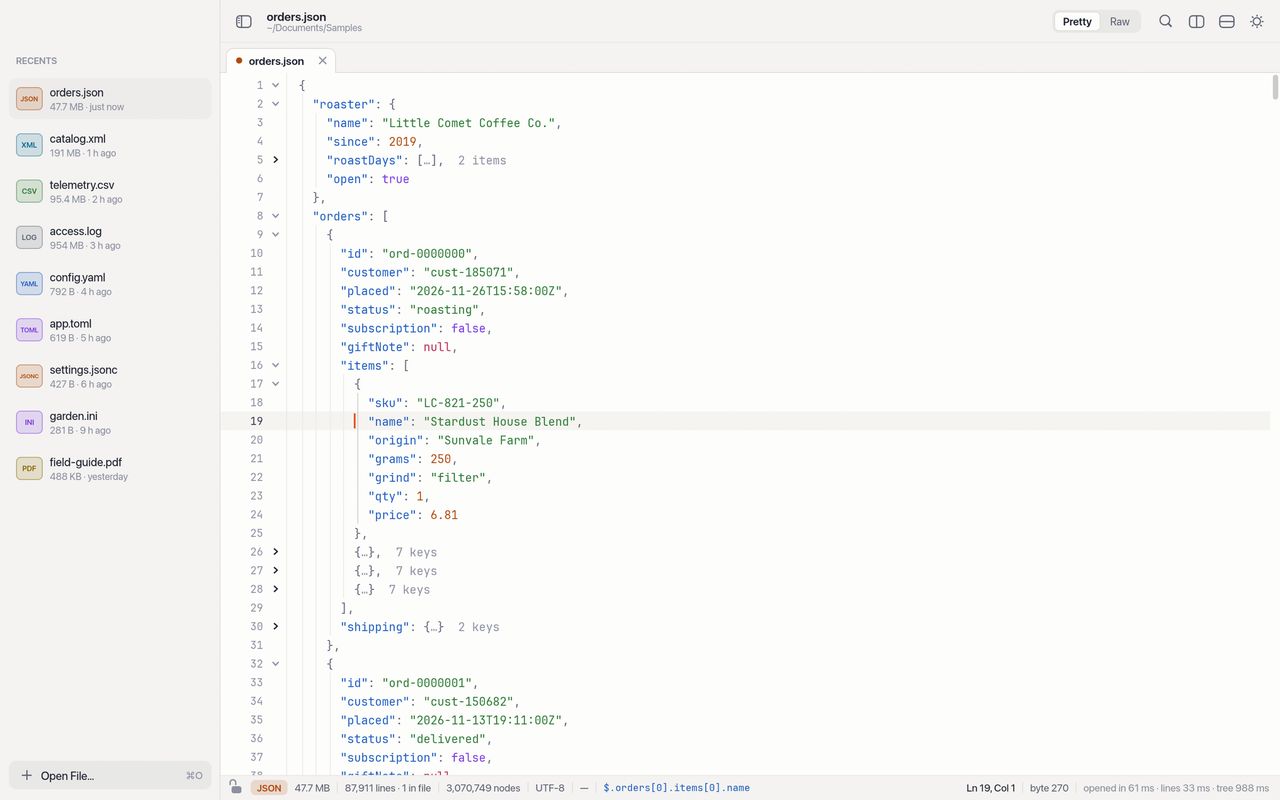
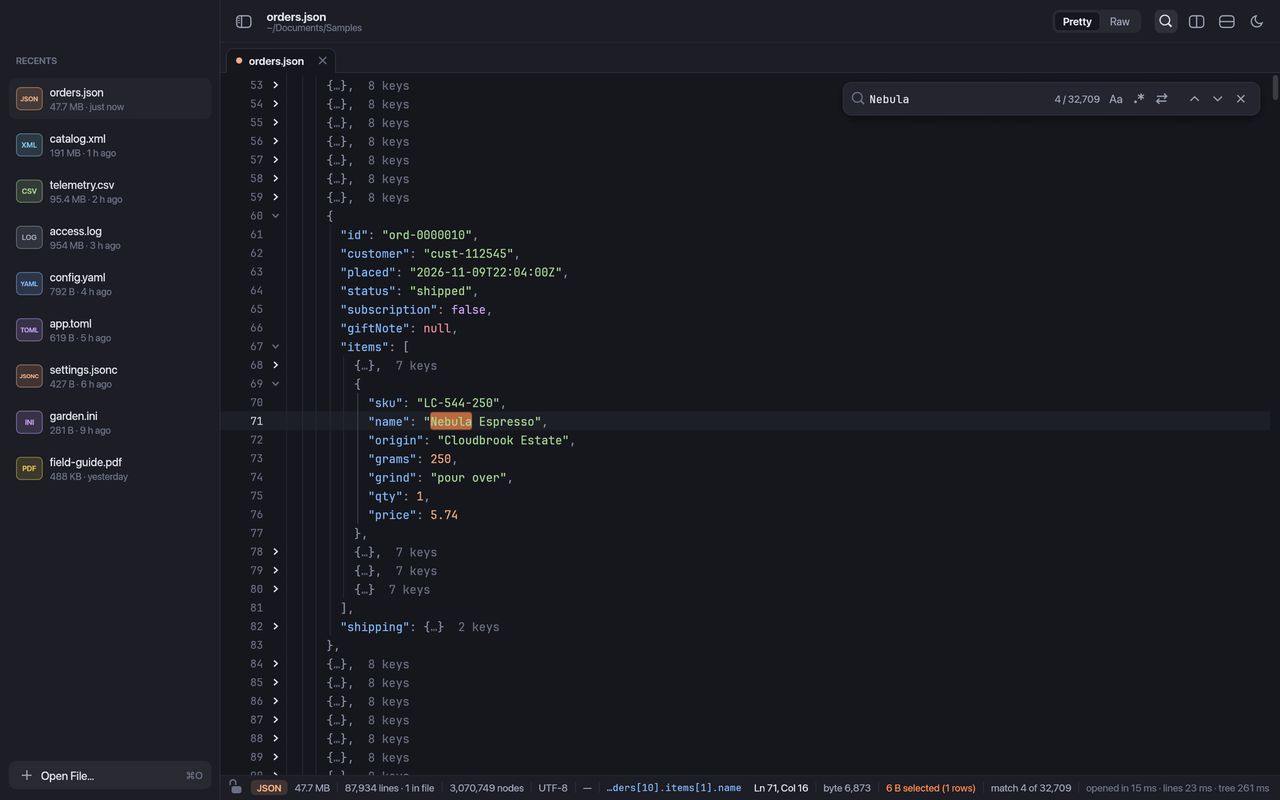
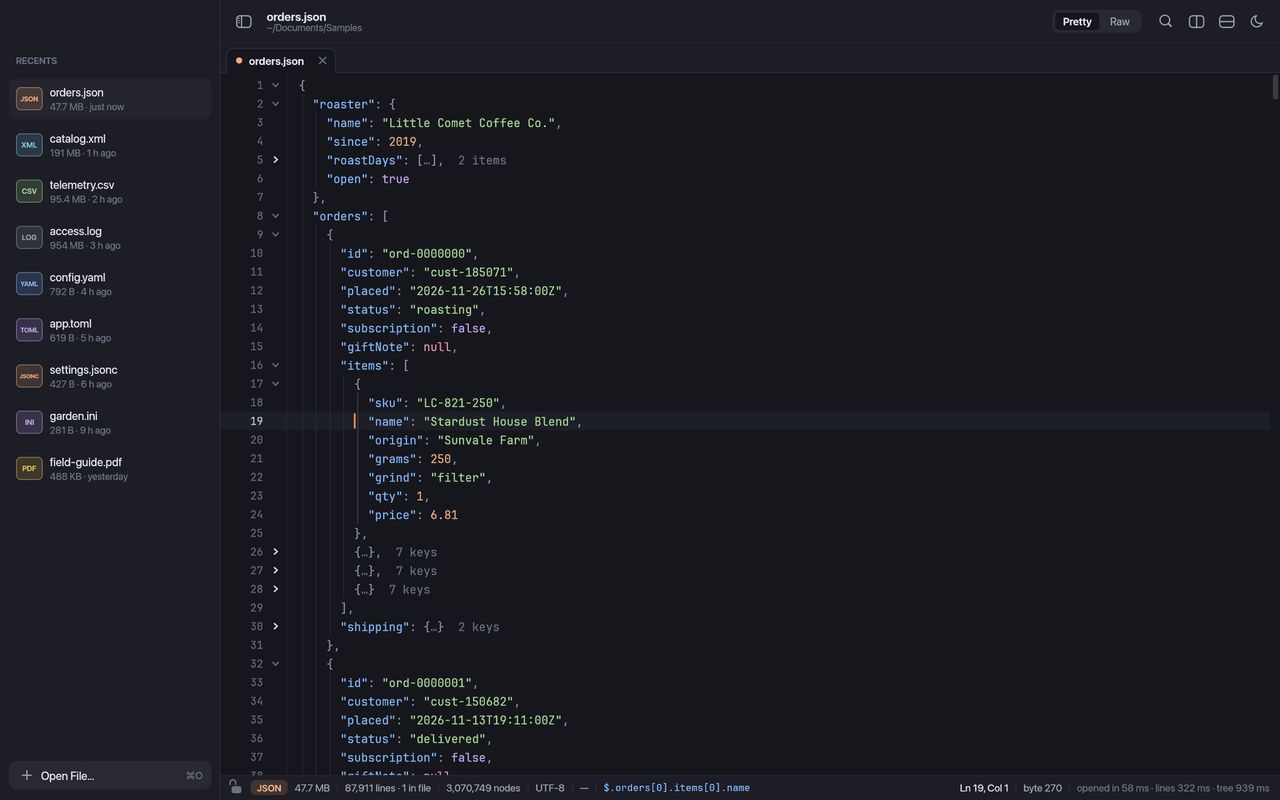
Even a whole export on one line opens as a tidy tree. Fold anything away, see at a glance what is inside with summaries like {…} 12 keys and […] 1,204 items, and always know where you are.
The JSON path or XPath of the caret, such as $.orders[0].items[1].name, sits in the status bar, and ⌥⌘C copies it.
Collapse everything to level one, two or three, or fold a single branch. Brackets match up and indent guides keep long lists in line.
A broken file still opens, with the problem marked at the exact spot so you can fix it there.
Change a value in the formatted view of a minified file and Chomp saves it back in its original compact shape. Every keystroke lands instantly, even in a file of a gigabyte.
Editing and saving come with a one-time license. Viewing stays free.
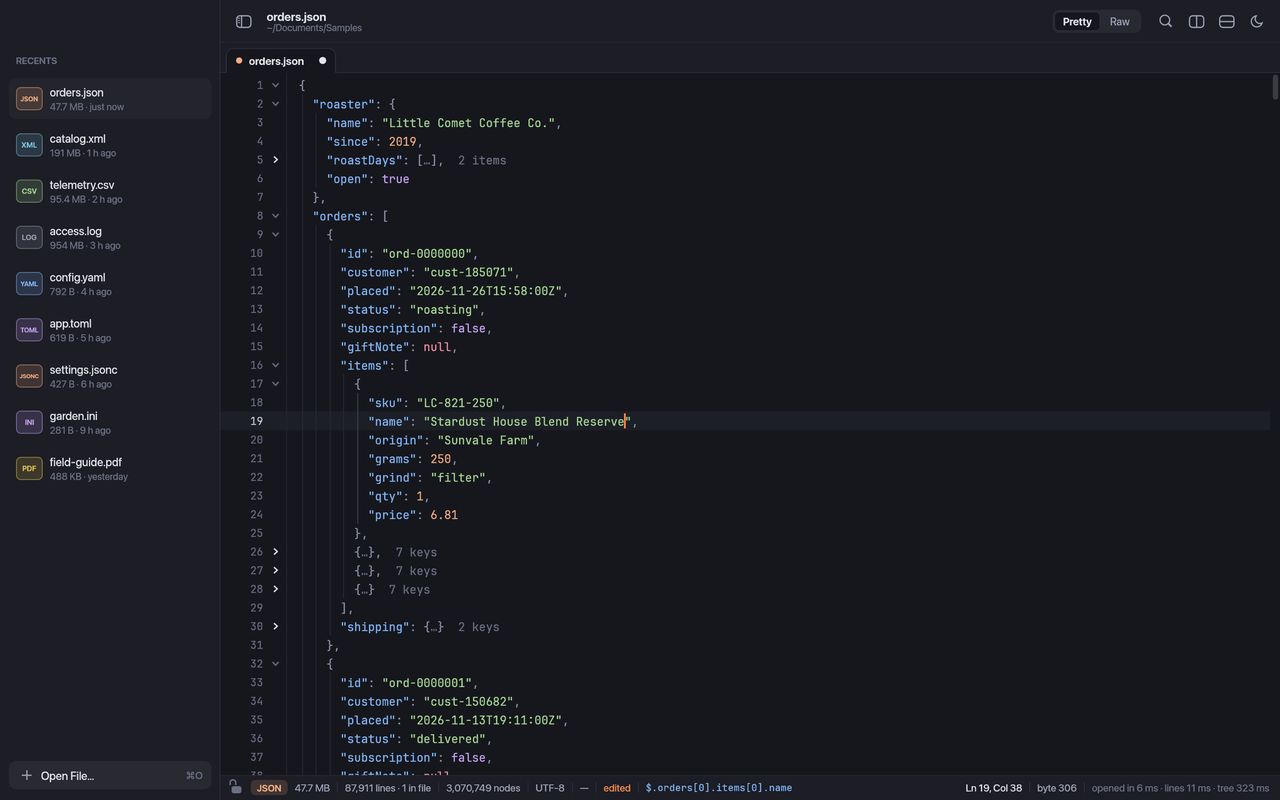
Plain words or regular expressions, with a live count of every match. Folds open up to show each one, and Replace All is a single undo step.
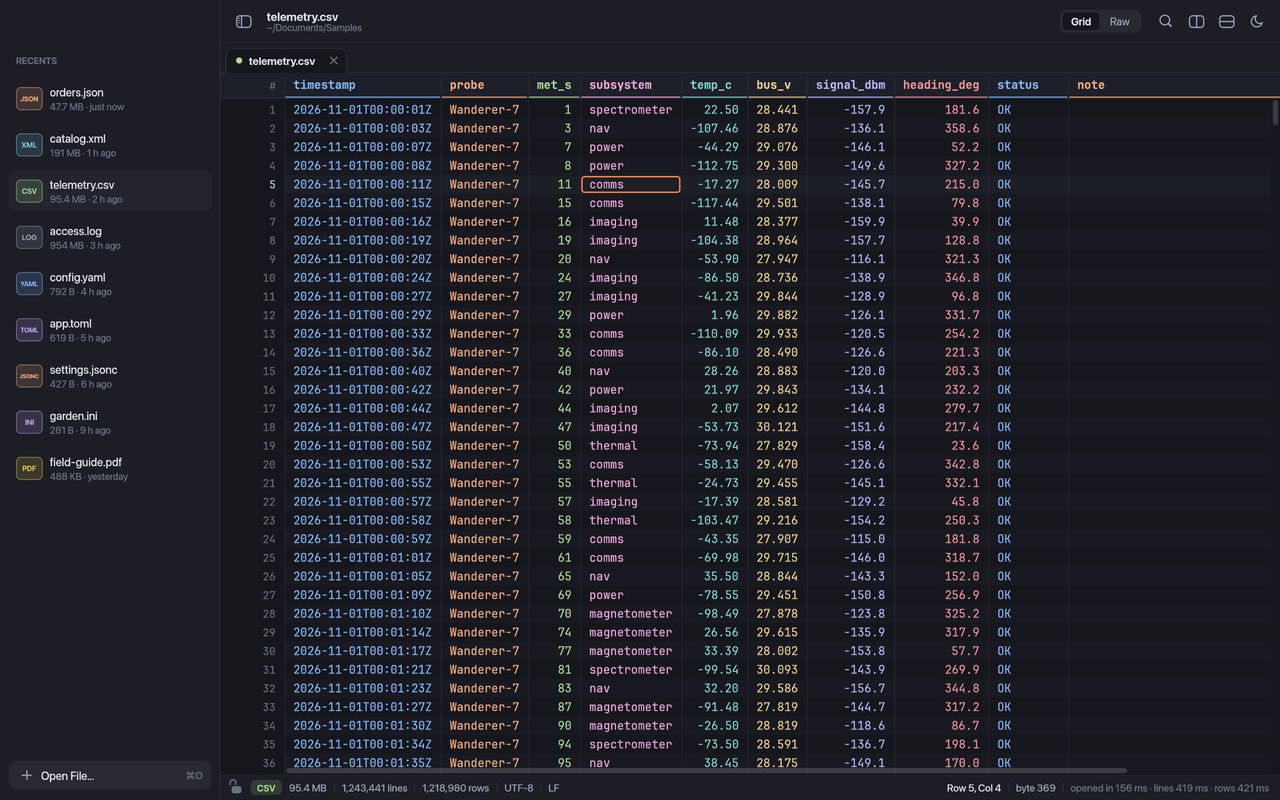
A header that stays put, numbers lined up on the right, and a color for every column so wide files stay readable. Commas, semicolons, tabs or pipes are detected for you, and quoted fields that span several lines just work.
Config files, lock files, data exports, logs and documents. Each one gets colors, folding and paths that fit how it is written.
A foldable tree of any JSON, even one long line, with paths and errors marked in place.
tsconfig.json, VS Code settings, .jsonc and .json5: comments and trailing commas welcome.
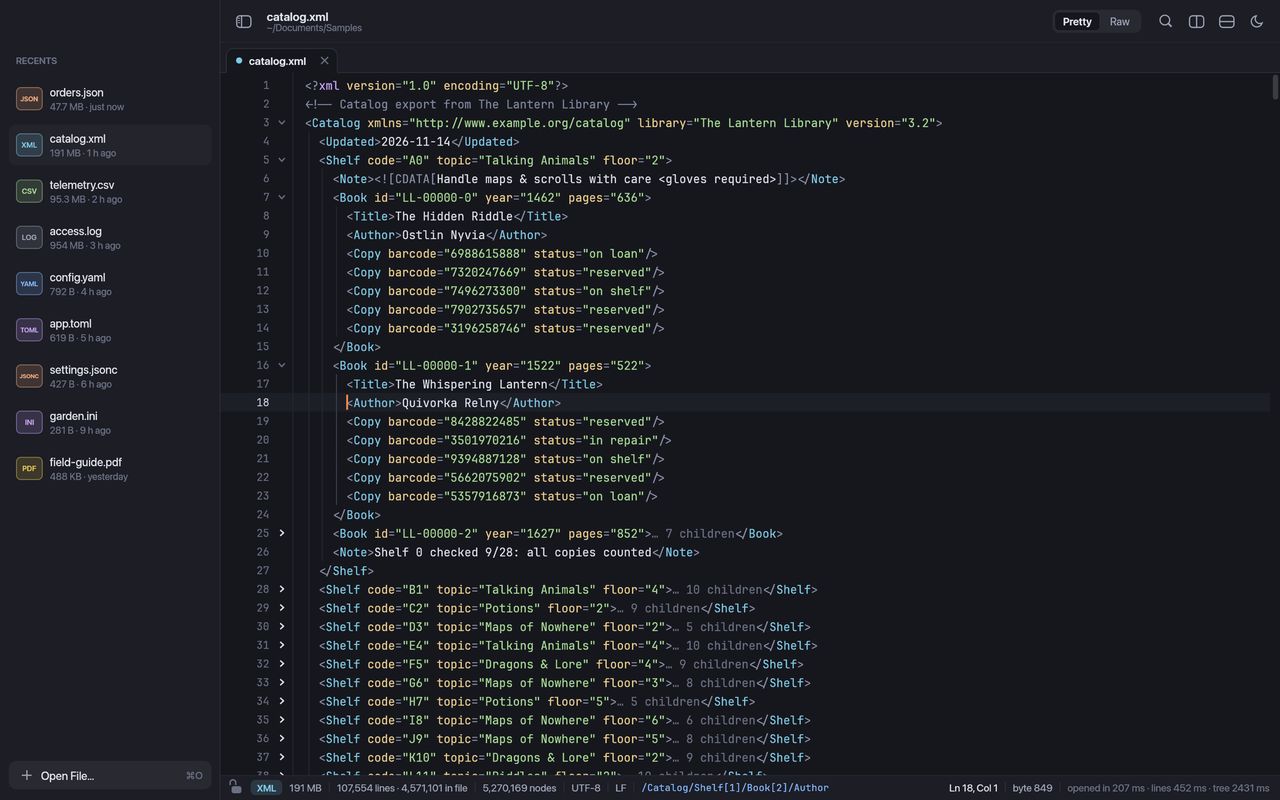
Elements, comments and CDATA as a tree, with 34 children summaries and the XPath of the caret.
Folding that follows the file as written, paths like server.ports[1], and lock files too.
A grid with a sticky header, or a raw view with every column in its own color.
Timestamps, levels, numbers and URLs highlighted in files of any size, with word wrap when you want it.
INI, .properties, .env, .editorconfig and friends, with sections you can fold.
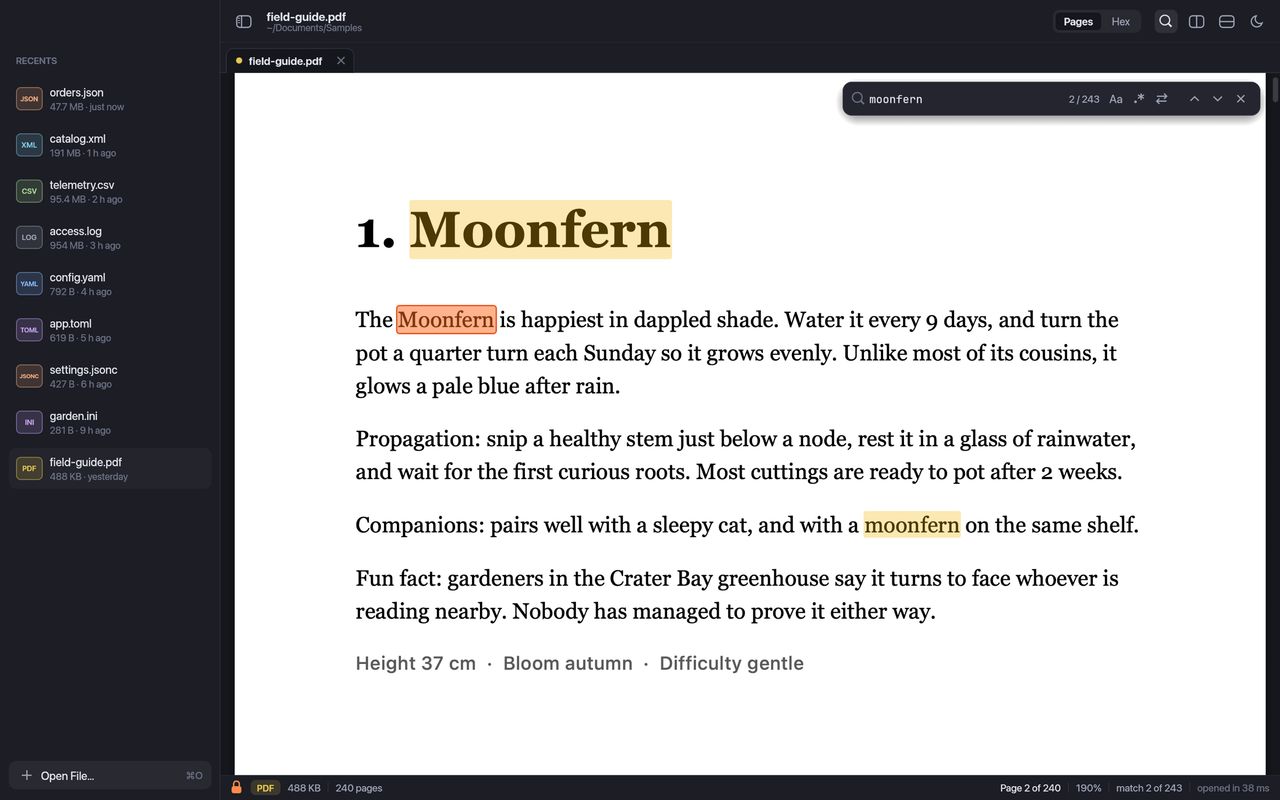
Smooth scrolling through any number of pages, zoom, find on every page, text selection and working links.
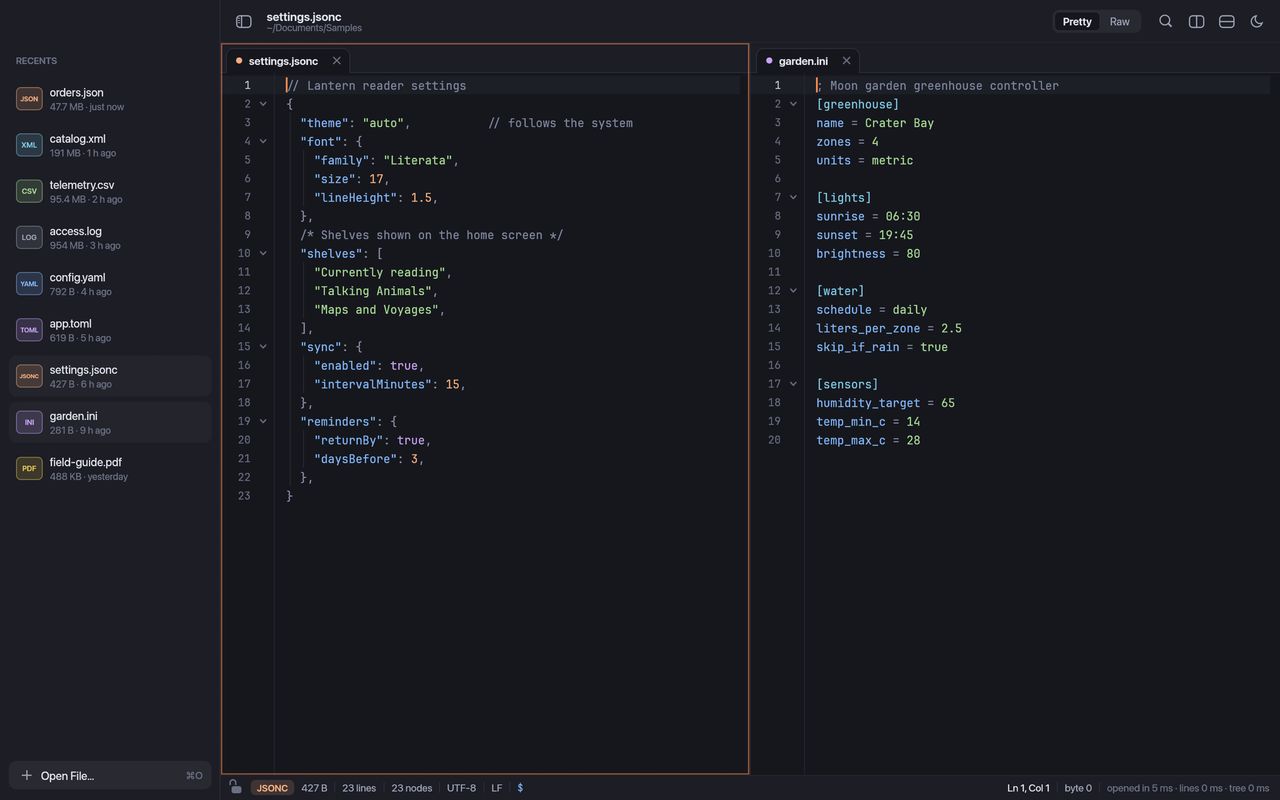
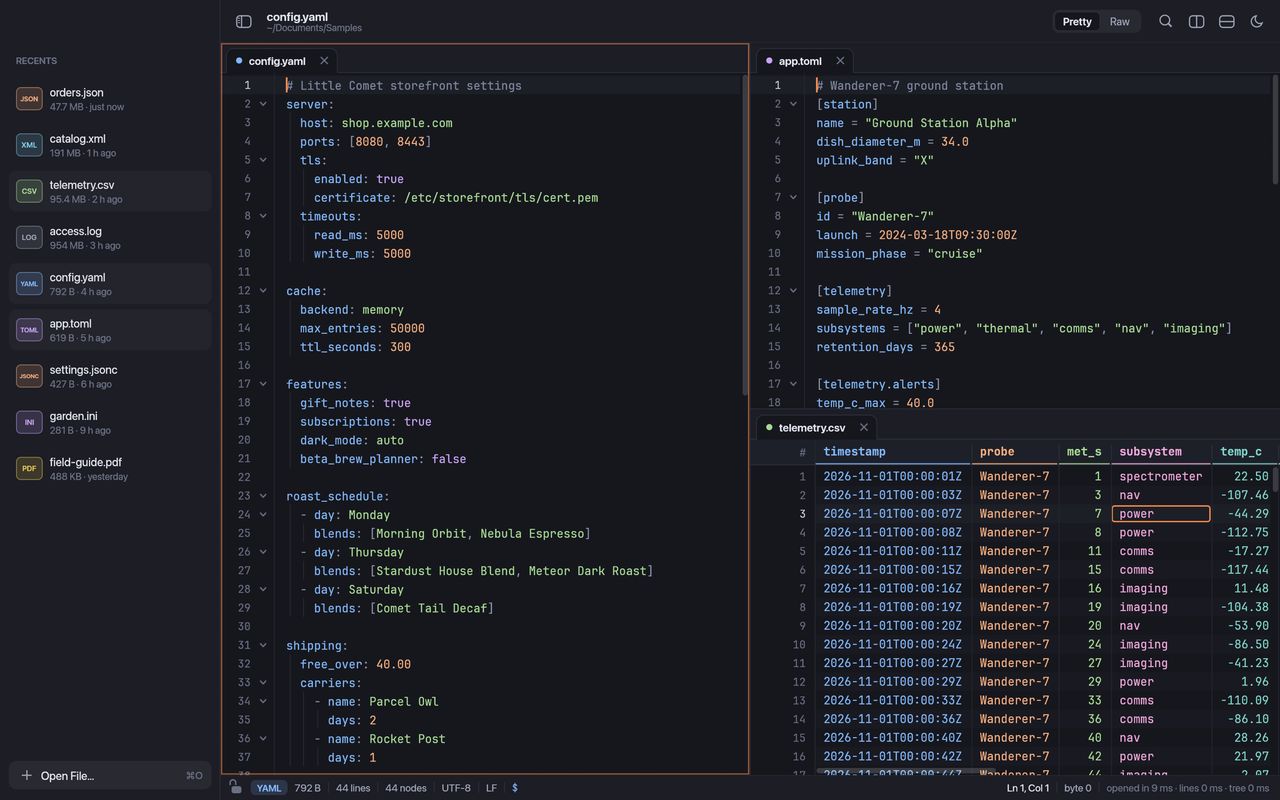
Tabs, splits in every direction and scrolling that can move in step. Drag a tab, or a file from Finder, onto any edge to open it there. Your window, tabs and layout are waiting next time.
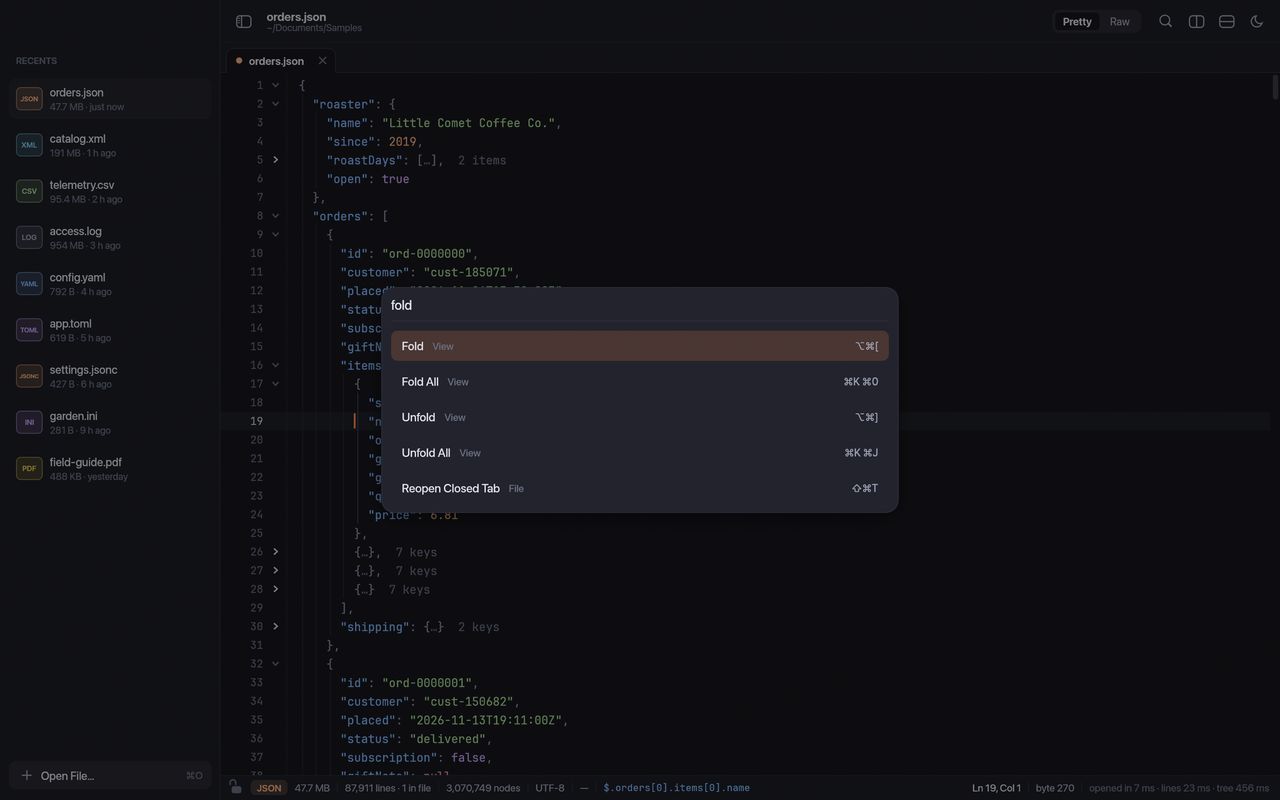
Chomp follows your Mac's appearance, with careful contrast in both. Every command has a shortcut, and the command palette finds any of them in a few keystrokes.
Every command one search away with ⇧⌘P, and ⌘P to reopen any recent file.
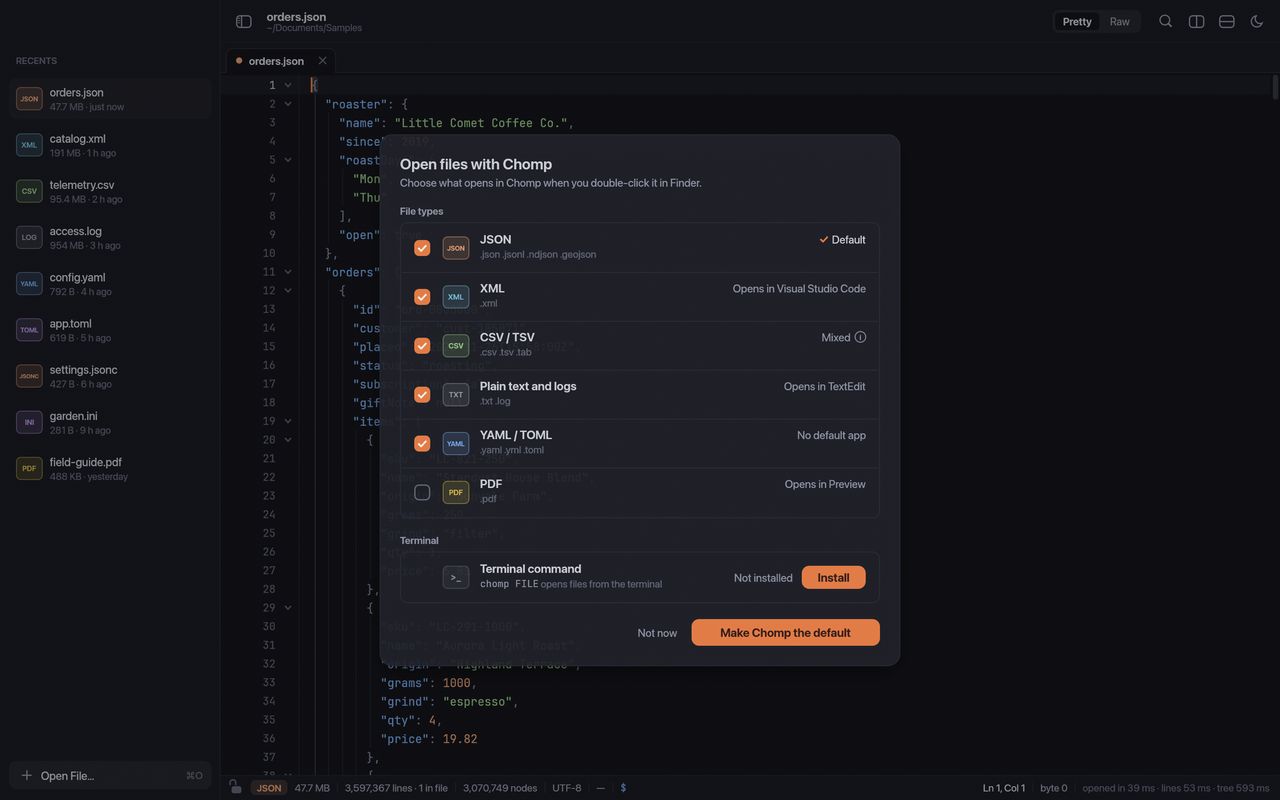
Make Chomp the default for the file types you choose, and leave the rest alone.
chomp commandOpen files from Terminal as new tabs, or pipe in anything with chomp -.
A sidebar of recent and pinned files, sized however you like.
UTF-8 and UTF-16, any line endings, and a hex view for binary files.
Files you can't write open read-only, and Chomp asks before closing anything unsaved.
Zoom the text with ⌘= and ⌘-, and wrap long lines with ⌥Z.
New versions install with one click, each one checked before it runs.
Download it and start opening files. Nothing to sign up for.
No analytics and no telemetry. Nothing about you or your files is ever sent.
The only time Chomp goes online is to check for updates, and you can turn that off.
Every download is checked by Apple, and every update by Chomp, before it runs.
Viewing any file, of any size, is free forever. A one-time license unlocks editing and saving, with 12 months of updates; the versions you get keep working forever, and another year is $9.
$0forever
Viewing, with no limits
Open, read, search and copy from any file of any size, for as long as you like. No account, no trial.
For you
$19 one time
One person, up to 3 Macs
For you, on your own Macs, for anything you work on.
$39 per Mac
Bought by a company, per Mac
For companies buying for their people. One license per Mac.
Viewing is, forever. Download Chomp and open, read, search and copy from any file of any size, with no account, no trial and no time limit. A license unlocks editing and saving.
Editing and saving: typing into any file, Format Document and Minify, Replace, the line tools, and saving your changes. Everything you can do in the free version stays free, at any file size.
Bigger than you are likely to have. Chomp shows the first screen of a file straight away, whatever its size, and finishes reading the rest in the background while you work. Its own benchmarks use a 1 GB log, a 200 MB XML catalog, a 100 MB CSV and 500 MB YAML and TOML files.
No. You can type straight into the tidy, formatted view of a minified JSON or XML file, and Chomp saves it back in its original compact style. Prefer the formatted version? Flip one switch in the status bar. Saving never leaves a half-written file behind.
JSON and JSON Lines, JSON with comments, XML, YAML, TOML, CSV and TSV, INI, .properties and .env files, logs and any plain text, plus PDFs. Anything else opens as text, or as hex if it is binary.
Never. Your files stay on your Mac. Chomp has no accounts, analytics or tracking. It only goes online to check for updates, and you can turn that off. A license key is checked on your Mac, so activating one sends nothing anywhere.
A Personal license ($19) is for one person, on up to 3 of their own Macs. A Business license ($39 per Mac) is bought by a company, with one seat per Mac, and the company can hand a seat to someone else when people change roles.
Chomp keeps working, forever. Your license covers every version released in the 12 months after you buy, and those versions never stop working. After that, keep using what you have, or renew for $9 to get another year of updates whenever you like.
Yes. If Chomp is not right for you, ask within 30 days of purchase and you get a full refund, no questions asked. Paddle, our reseller, returns it to your original payment method. See the terms.
No. When you buy, you get a license key on the thank-you page and by email. Click Activate in Chomp, or paste the key into Chomp, and you are done. Lost it? Use Find my license.
Yes. Install the chomp command from Chomp › Default Apps, then chomp big.json opens it as a new tab. cat data.json | chomp - works too.
Any Mac with Apple silicon or an Intel processor, on macOS 13 Ventura or later. Chomp is signed and notarized by Apple.
Free to download and view, forever. No account needed.